
Visual content has become an essential part of modern communication. From social media posts and online advertisements to product pages, presentations, blogs, and digital campaigns, businesses and creators rely on images to attract attention and explain ideas. However, producing high-quality visuals traditionally requires design skills, expensive software, photography equipment, or professional designers.
Artificial intelligence is changing that process. An AI picture generator can transform a written description, reference image, or rough concept into a finished visual within seconds. Instead of creating every element manually, users can describe what they want and allow an AI model to handle much of the visual production process.
As these tools become more capable, AI-generated images are moving beyond simple experiments and becoming practical resources for creators, marketers, entrepreneurs, educators, and businesses.
What Is an AI Picture Generator?
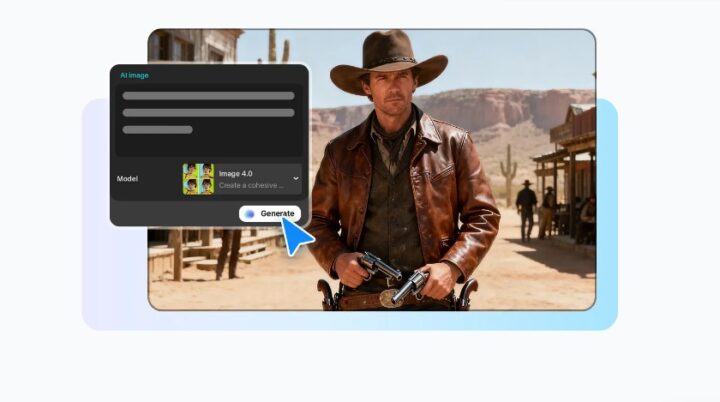
An AI picture generator is a technology that uses artificial intelligence models to create images based on user instructions. These instructions can describe a subject, environment, visual style, lighting, composition, colors, or other details.
Modern platforms can support both text-to-image and image-to-image workflows. Text-to-image generation creates a new visual from a written prompt, while image-to-image generation uses an existing picture as a reference for style, composition, or subject details.
For example, a marketer could request a professional product scene with studio lighting, while a content creator might generate a fantasy landscape for a social media campaign. The same technology can also be used for concept art, storyboards, posters, illustrations, and promotional graphics.
Why AI Image Generation Is Becoming Popular
One of the biggest advantages of AI-generated visuals is speed. Traditional image production can involve planning, photography, editing, retouching, and multiple revisions. AI can reduce many of these steps by allowing users to explore several concepts quickly.
Another benefit is accessibility. People without advanced graphic-design experience can experiment with visual creation by writing descriptive prompts. This makes image production more approachable for small businesses, students, independent creators, and social media managers.
Modern AI image platforms also provide editing capabilities after generation. Users can adjust elements such as brightness, contrast, saturation, cropping, filters, sharpness, and backgrounds instead of moving the generated image into several separate applications. CapCut, for example, combines AI generation with additional editing and enhancement tools.
From Simple Prompts to More Controlled Visuals
Early AI image tools often focused primarily on generating an image from a short text description. Today’s systems are becoming more useful for controlled creative workflows.
Users can provide reference images, sketches, or specific editing instructions to guide the output. This is particularly useful when an image needs to preserve certain visual characteristics while changing selected elements.
For example, a creator might want to keep the same person and pose while changing clothing or the surrounding environment. A product designer may have a rough sketch and want to visualize a more complete concept. These workflows make AI useful not only for generating new images but also for developing and refining existing ideas.
Tools such as ChatGPT Images 2.5 demonstrate this direction by supporting reference-based generation, targeted edits, visual concepts, diagrams, product ideas, posters, comics, and other creative formats.
Better Results Depend on Better Prompts
Although AI can automate much of the creative process, the quality of the instructions still matters. A vague prompt may produce an interesting image, but a detailed prompt gives the system more information about the intended result.
A useful prompt can include:
- The main subject
- The environment or background
- Lighting conditions
- Visual style
- Camera perspective
- Composition
- Colors
- Mood
- Important objects or details
- Text that needs to appear in the image
For example, instead of asking for “a modern office,” a user could request “a bright modern technology office with large windows, minimalist furniture, natural morning light, indoor plants, and a professional editorial photography style.”
The additional context gives the AI clearer creative boundaries and can make the resulting image more relevant to the intended purpose.
Practical Uses for AI-Generated Images
AI picture generation has applications across many industries. Social media creators can produce custom visuals for posts, thumbnails, campaigns, and short-form content without arranging a traditional photoshoot.
E-commerce businesses can use generated visuals for product concepts, promotional banners, packaging ideas, and advertising campaigns. According to CapCut’s current AI image generator information, its workflow can support product showcases, social media content, advertisements, entertainment visuals, comics, and storyboards.
Businesses can also use AI-generated visuals for presentations and internal communication. AI image systems can create diagrams, infographics, charts, and other visual explanations that make complex information easier to understand.
AI Image Generation and Video Creation
The relationship between AI images and video is also becoming increasingly important. A generated image does not necessarily have to remain a static picture. It can become the starting point for an animated sequence or short-form video.
Some creative platforms allow users to move generated images into image-to-video workflows, where motion effects, transitions, music, and text can be added. This creates a more connected workflow in which users can move from an initial idea to a finished visual story without switching between multiple applications.
For marketers and social media creators, this can be particularly useful because one visual concept can potentially become a post, advertisement, thumbnail, or short video.
What to Consider Before Using AI-Generated Images
AI-generated content still requires human review. Users should check images carefully for inaccurate details, unwanted objects, incorrect text, inconsistent proportions, or visual elements that do not match the original intention.
Copyright and licensing should also be considered before using generated visuals commercially. The rules surrounding AI-generated content can vary depending on the platform, model, jurisdiction, and intended use. Users should therefore review the applicable terms and licensing conditions rather than assuming every generated image has identical usage rights.
Most importantly, AI should be treated as a creative assistant rather than a complete replacement for human judgment. A strong concept, thoughtful prompt, careful editing, and final quality check can significantly improve the usefulness of the finished image.
Conclusion
AI picture generators are changing how digital visuals are planned, produced, and refined. By combining text prompts, reference images, intelligent editing, and increasingly controlled generation, these tools make professional-looking visual creation more accessible to a wider audience.
The technology is particularly valuable for creators and businesses that need to explore ideas quickly, produce multiple visual variations, or create content for different digital platforms. As AI image models continue to improve, their role in marketing, design, e-commerce, storytelling, education, and social media is likely to expand.